













What is a WebRTC Leak? The Critical Flaw in Your Browser’s Armor

You turn on your VPN, configure your proxies, and assume you are completely anonymous. Then your accounts get banned. The culprit is likely a WebRTC leak. This fatal flaw exposes your real IP address, completely bypassing your security setup. For digital marketers and MMO professionals, this is an operational hazard that must be fixed immediately.
What is WebRTC?
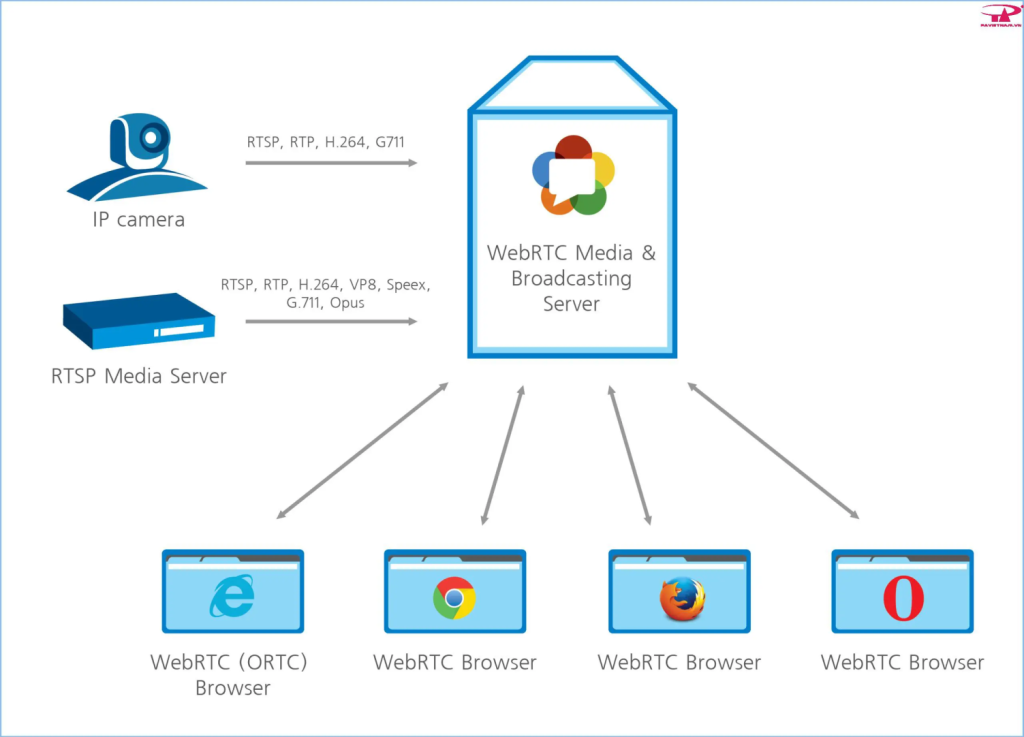
WebRTC (Web Real-Time Communication) is an open-source technology built into modern browsers like Chrome, Firefox, and Safari. It enables direct peer-to-peer (P2P) communication. If you have ever made a video call directly from a browser without installing extra software, that is WebRTC at work. It is fast and seamless, but it comes with a massive security trade-off.
Why is a WebRTC Leak Fatal for Marketers?
To establish a direct connection, WebRTC needs to know your actual IP address. When a leak occurs, WebRTC creates a separate pathway that completely ignores your encrypted VPN or proxy tunnel, broadcasting your real IP to the platform.
-
Mass Account Bans: Platforms can see right through your proxy setup, linking all your carefully isolated accounts back to a single IP address.
-
Zero Anonymity: All the time and money spent on proxies and stealth setups become useless.
-
Security Threats: Exposing your real IP leaves your home or office network vulnerable to targeted DDoS attacks.
How to Test for WebRTC Leaks in 60 Seconds
Testing your system is incredibly simple. Turn on your VPN or proxy, then navigate to BrowserLeaks.com or ipleak.net. If the test results display your actual home or office IP address alongside your VPN’s IP, your system is leaking.
How to Patch WebRTC Leaks
Depending on your browser, you can manually block these leaks:
-
Google Chrome: Install the official WebRTC Network Limiter extension, or use uBlock Origin and check the option to block WebRTC IP leaks in the advanced settings.
-
Mozilla Firefox: Type about:config in the address bar, search for media.peerconnection.enabled, and set its value to false.
-
Safari: Go to Advanced settings, enable the Develop menu, find the WebRTC section, and disable the Legacy WebRTC API.
The Ultimate Fix: Hardware-Level Defense with a Router Proxy

Patching individual browsers works for casual users. But if you manage a Box Phone Farm or automated marketing rigs, configuring hundreds of devices manually is impossible.
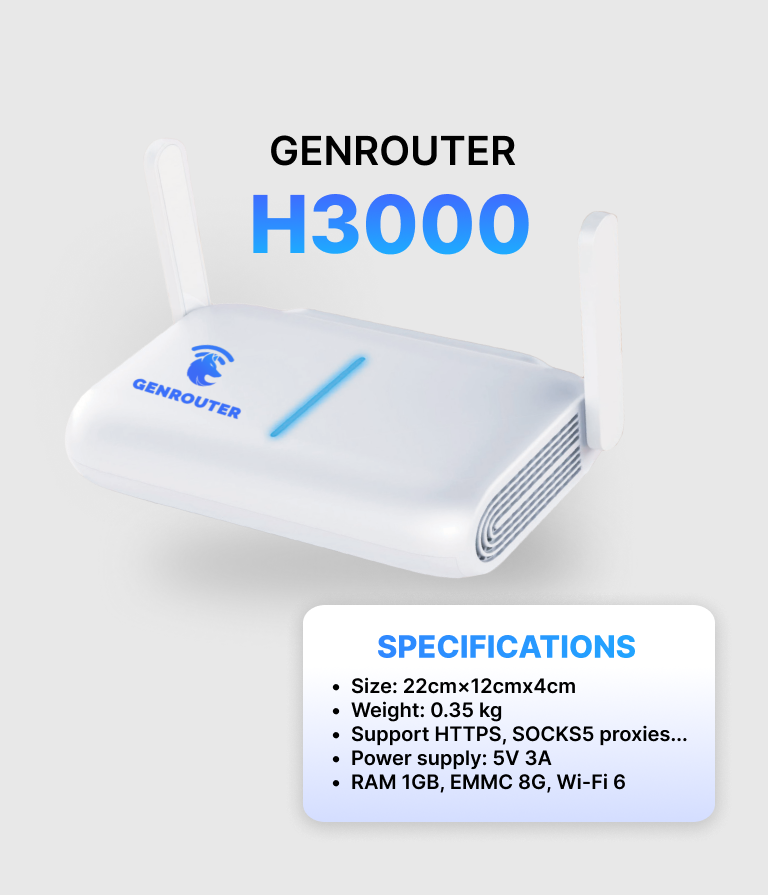
This is where hardware-level solutions step in. Instead of fighting browser settings, GenFarmer’s Router Proxy manages the connection at the source.
By configuring your residential or 4G proxies directly on the router, every device connected to it gets a masked IP from the network level. This creates a unified, secure environment where WebRTC leaks are neutralized before they even happen.
Frequently Asked Questions (FAQs)
Do all VPNs block WebRTC leaks automatically? No. Only premium VPNs include built-in leak protection. You must check your VPN’s settings and manually enable it if the feature is available.
Will disabling WebRTC break my browser? No, regular browsing will work perfectly. However, web-based video calling or voice chat applications will stop functioning.
Do anti-detect browsers prevent WebRTC leaks? Yes. High-quality anti-detect browsers are specifically engineered to block or spoof WebRTC data to protect your account farming operations.






 VOUCHER
 DEMO 1-1